

Connected living
Everything at home. In one place.
Lights that feel effortless
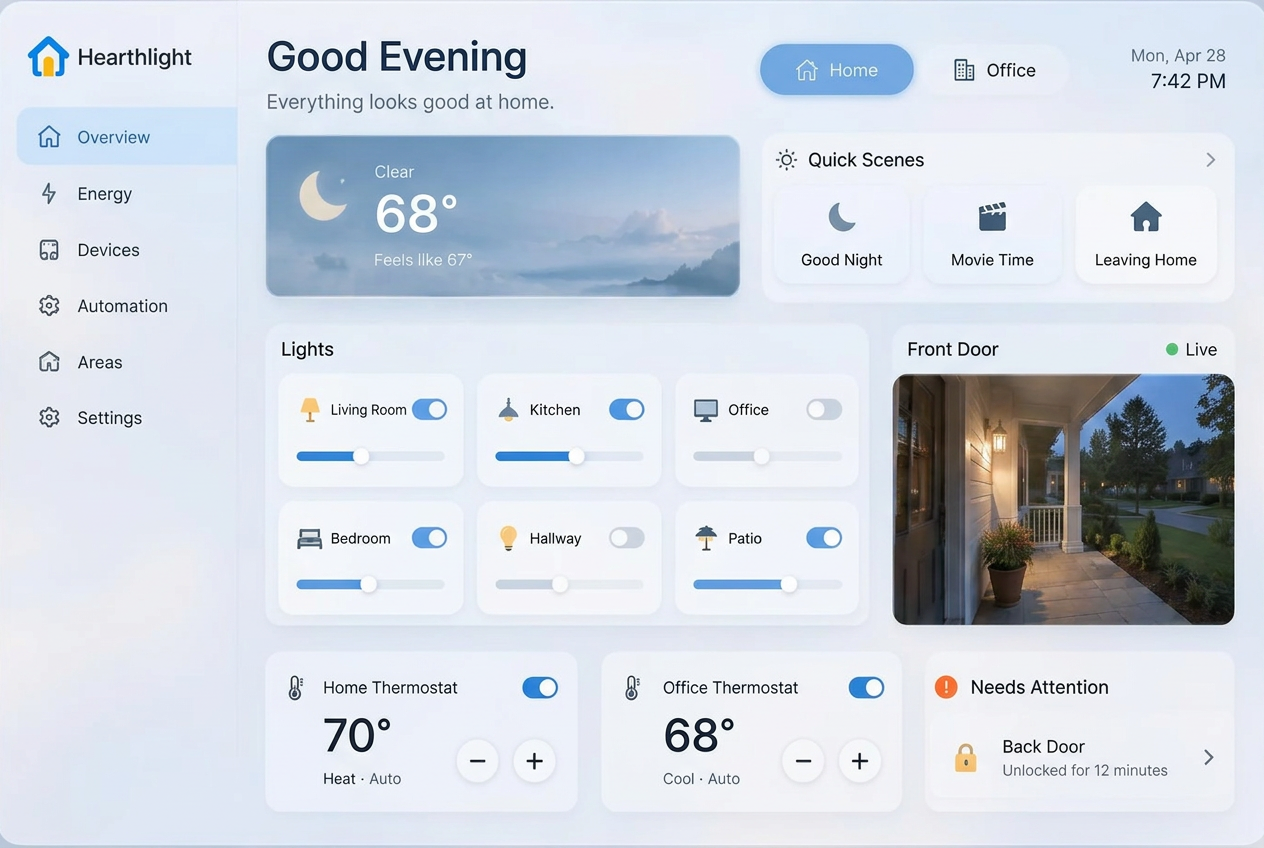
Turn lights on or off, adjust brightness and choose supported color presets.
Active view keeps things focused. Switch to All to find an off light and turn it back on; a light you turn off stays visible during that visit.
Comfort, one tap away
Set a target temperature in Fahrenheit and use the thermostat’s dedicated power switch.
A temporary red or blue tint shows a target above or below the indoor temperature. This feedback describes your adjustment, not a change in the device’s heating or cooling mode. Available modes depend on your thermostat.
Rooms with familiar names
Browse lights and thermostats by the areas you already created in Home Assistant.
Name and assign areas in Home Assistant first. Unassigned devices appear under Other; Hearthlight does not create your room structure.
Keep an eye on entryways
See connected lock states and use supported lock controls without leaving the dashboard.
Actual device state comes from Home Assistant. Availability and successful actions depend on the device, its integration and your connection.
A closer look at your cameras
View camera images and expand a camera tile in place, with your dashboard behind it.
Hearthlight uses Home Assistant camera snapshots. This is not a continuous video stream; image availability depends on your camera integration.
One-tap scenes
Activate Home Assistant scenes from a compact, easy-to-reach dashboard section.
Create scenes in Home Assistant and make them available to your account. A scene’s devices and actions are defined there, rather than guessed by Hearthlight.
Home. Office. And beyond.
Add, rename, reconnect or remove your own locations in Settings.
Each location connects to its own Home Assistant address and token. Up to five locations use a switcher; more than five use a dropdown. Location changes prepare the next dashboard before switching.
Your account, your dashboard
Create a free account with Google. No owner approval or extra profile form is required.
Your locations and Home Assistant connections are private to your account. Connection tokens are saved server-side and are not displayed back to you. New accounts start with setup, not another person’s devices.
Make your home part of the conversation.
Explore voice control, spoken replies and simple routines.