Start with what you own. Add a hub, a reliable connection and a dedicated display only where they make everyday life easier.
01 · THE HOME ASSISTANT HUB
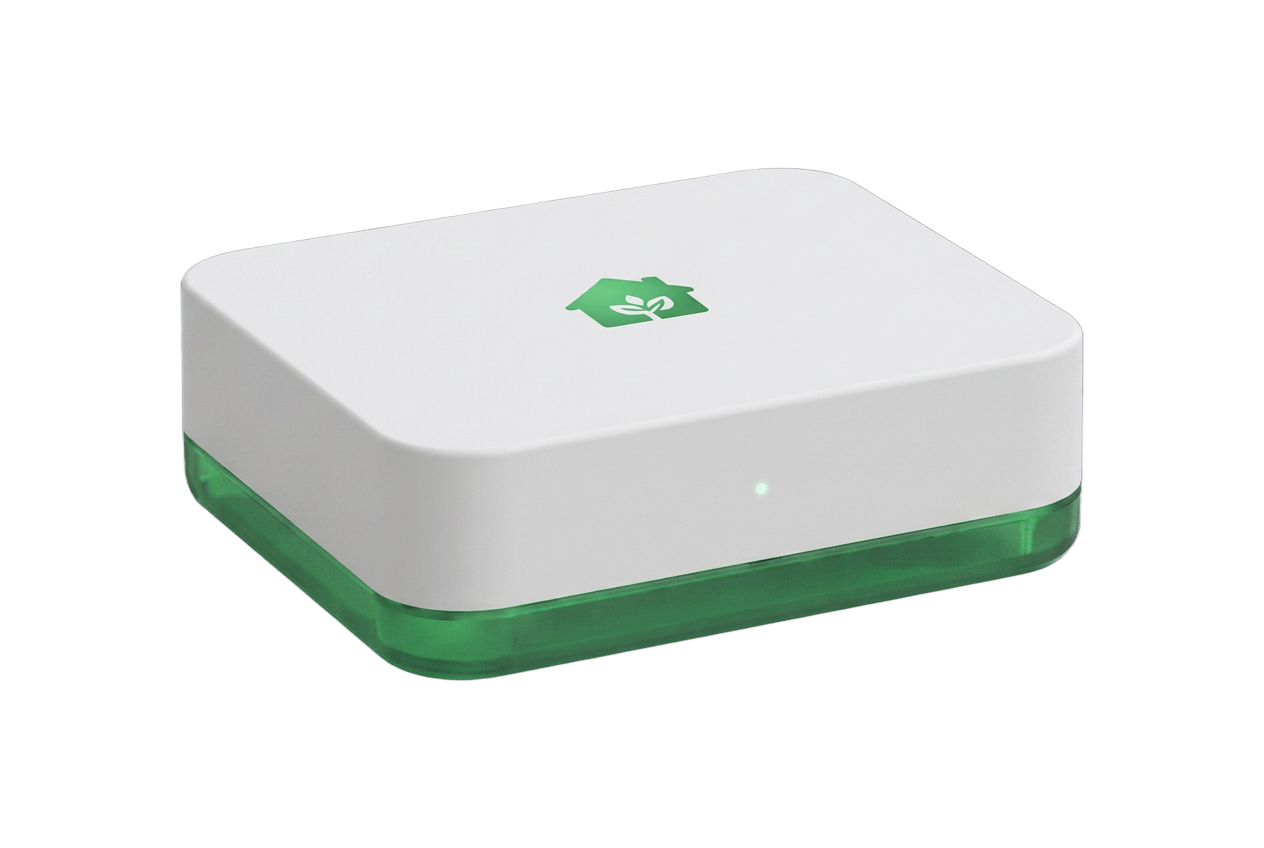
Home Assistant Green
For a new setup, Green is a straightforward starting point with Home Assistant OS preinstalled. Connect it to your router with Ethernet and power, then add your smart devices in Home Assistant.
Already running Home Assistant? Keep your existing supported installation. Each physical location needs its own Home Assistant connection, not necessarily a new Green.
These are buying guidelines, not devices certified or tested by Hearthlight. Try your chosen browser before committing to an always-on installation.
tablet_android
My starting recommendation
Android tablet
A current 10–11-inch Android tablet makes a practical dedicated display. Look for a clear screen, reliable Wi-Fi, an up-to-date Chrome browser and ongoing security updates. A microphone and speakers are useful if you want to try voice controls.
Prefer a model with a battery-protection or charge-limit setting. Check its exact model specifications before buying; those settings and browser voice support vary.
tablet_mac
A good way to try it first
An iPad you already own
Use a supported iPad with current iPadOS and Safari. Add Hearthlight to the home screen for convenient access. You do not need a new tablet just to get started.
Check wall-mode and voice behavior on your device before choosing a permanent mount. Fullscreen, screen wake lock and speech recognition depend on the browser and operating system.
devices
No dedicated screen required
Phone, laptop or desktop
Start with your existing device and a modern browser. Connect one location, test your controls and decide whether a shared wall display makes sense for your household.
Hearthlight needs an internet connection. Installing it on the home screen does not enable offline control.
Tablet examples to compare
Samsung Galaxy Tab A9+ and Lenovo Tab M11 are 11-inch Android options; Apple’s 11-inch iPad (A16) is an alternative. Check current availability, remaining update support and the exact model’s charging settings. These are comparison examples, not a guarantee of every Hearthlight feature.
Start with a supported light or thermostat. Add locks, scenes and cameras as needed. Check each exact model’s Home Assistant integration before purchasing; Hearthlight does not expose every device-specific feature.
Green does not include built-in Zigbee or Thread radios. Zigbee devices need a compatible coordinator; Matter-over-Thread devices need a supported Thread border router. Z-Wave devices need a region-appropriate Z-Wave adapter. Wi-Fi devices may not need an extra radio. Choose accessories for the protocols you actually use.
Keep the hub connected by Ethernet and place your tablet where Wi-Fi is reliable. Hearthlight needs a publicly reachable HTTPS Home Assistant address and a long-lived access token; a local-only or VPN-only address will not work.
Home Assistant Cloud by Nabu Casa is an optional paid route to secure remote access without router port forwarding. Hearthlight itself is free; hardware and third-party subscriptions are separate.
Choose a removable, ventilated mount. Match the exact tablet size and keep access to its buttons, charging port and maintenance needs.
Use manufacturer-approved power. Follow the device’s charging guidance and enable battery protection where available. Avoid hot or enclosed placements.
Plan cables safely. Use appropriately rated wiring and a qualified installer for concealed power or electrical work. Do not put a standard charging cord inside a wall.
Test before drilling. Check readability, touch controls, camera images and wake behavior at the intended height. Wall mode cannot guarantee an always-awake screen.
A signed-in wall tablet can control your connected home. Place it where trusted people use it and sign out before lending or selling it.
HEAR HEARTHLIGHT
Movie night, in a few words.
YOU
“Hey Home, is the house ready for movie night?”
Recorded sample
HEARTHLIGHT · CLAUDE-GENERATED REPLY
“Hey there! Movie night looks all set, based on the sample settings: living room lights dimmed to twenty percent, and the thermostat holding steady at seventy degrees. Cozy and ready whenever you are.”
Recorded demonstration with fictional device settings. Claude generated the words; Hearthlight’s speech service narrates them. Playback doesn’t use your microphone, connect to Home Assistant or change devices.
What does a spoken reply cost?
Hearthlight’s dashboard is free. Claude understands requests, Deepgram listens, and a separate speech service reads replies aloud. Connecting your own Claude and Deepgram accounts bills those two services to you; it does not cover spoken narration, which currently uses Hearthlight’s Lovable AI credits.
This recording
13.4 seconds
47 text tokens · 335 audio tokens
Narration generation
0.013494 credits
Claude text: 0.001972 credits separately
Replay this sample
No new AI generation
The saved audio plays again; hosting and delivery are separate.
credits · narration estimate
Based on the successful sample generated October 25, 2026: 0.000002 credits per text token and 0.00004 per audio token. These are requested Lovable AI credits, not dollars, cash paid or a price charged to visitors. The estimate assumes every reply matches this sample’s token usage; it excludes Claude, Deepgram, hosting, delivery and other app costs. Actual usage and provider prices vary. This is a recorded example, not your account’s usage meter.
Turning spoken replies off in the dashboard skips narration generation; text replies and any listening or request interpretation remain separate.
Have the essentials? Let’s connect them.
Follow the setup guide, then open your own free dashboard.